

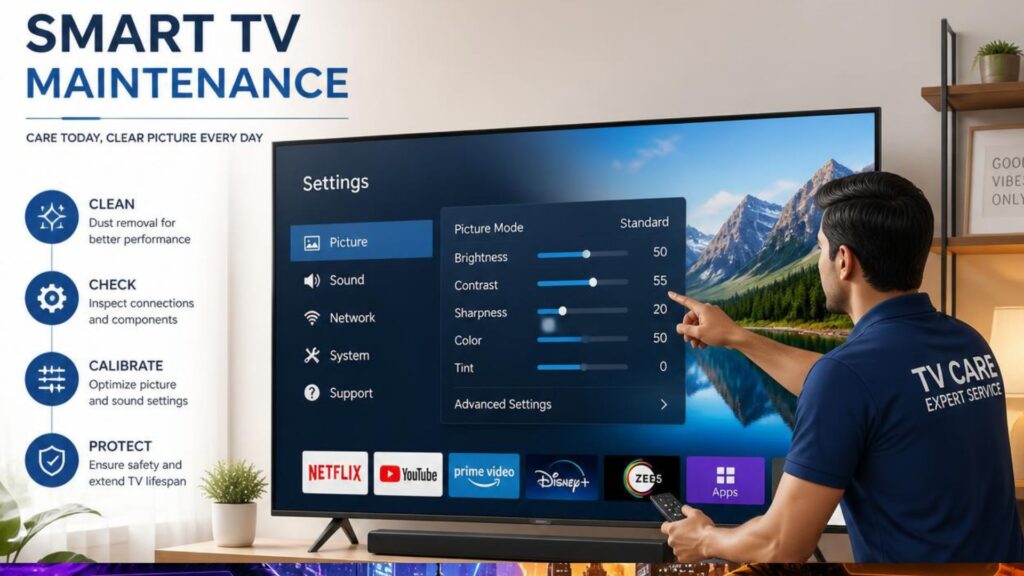
Smart TV maintenance involves regular screen cleaning, software updates, proper ventilation, surge protection, and careful usage. Following these simple maintenance practices helps extend your TV’s lifespan, improve picture quality, prevent overheating, and reduce the risk of costly repairs.
Smart TVs have become the centre of home entertainment, offering access to streaming platforms, gaming, video calls, and smart home integration. Like any electronic device, they require regular care to perform at their best. Fortunately, maintaining a Smart TV doesn’t require technical expertise. A few simple habits can help you enjoy better picture quality, smoother performance, and a longer-lasting television.
Smart TV Maintenance Checklist
If you’re short on time, follow these essential maintenance tips to keep your Smart TV in top condition.
- Clean the screen with a microfiber cloth.
- Dust the ventilation vents regularly.
- Install software updates whenever available.
- Use a surge protector to prevent electrical damage.
- Remove unused apps and clear cache if supported.
- Restart your Smart TV every week or two.
- Keep the TV in a cool, well-ventilated location.
- Turn it off completely when not in use.
Why Is Regular Smart TV Maintenance Important?
Regular Smart TV maintenance improves picture quality, extends the lifespan of internal components, prevents overheating, enhances software performance, and reduces the chances of expensive repairs. It also ensures your television continues to deliver a smooth and enjoyable viewing experience for years.
Some of the key benefits include:
- Better display and sound quality
- Improved system performance
- Longer product lifespan
- Lower risk of hardware failures
- Reduced maintenance and repair costs
- Better energy efficiency
Clean the Screen the Right Way
The display is the most delicate component of a Smart TV. Dust, fingerprints, and smudges can affect your viewing experience if not cleaned properly.
For safe TV screen cleaning:
- Turn off and unplug the TV before cleaning.
- Use a clean microfiber cloth.
- Never spray water or cleaning solution directly on the screen.
- Avoid paper towels or abrasive materials.
- Use only cleaners designed for electronic displays if necessary.
Cleaning the screen every one to two weeks is generally sufficient for most households.
Keep the Ventilation Vents Dust-Free
Every Smart TV generates heat while operating. If dust blocks the ventilation openings, the TV may overheat, reducing both performance and lifespan.
To prevent TV overheating:
- Dust the rear vents regularly.
- Leave several inches of space around the TV.
- Avoid placing decorative objects over ventilation openings.
- Clean the TV cabinet or entertainment unit frequently.
Proper airflow helps internal components remain cool and operate efficiently.
Keep Your TV Software Updated
Software updates improve security, fix bugs, and enhance Smart TV performance.
Benefits of installing updates include:
- Faster navigation
- Improved app compatibility
- Enhanced security
- Better streaming performance
- Access to new features
Whenever possible, enable automatic software updates to ensure your television stays current.
Read more: https://www.oscarindia.in/how-to-update-smart-tv-software-a-complete-step-by-step-guide/
Protect Your Smart TV from Power Fluctuations
Voltage fluctuations are one of the leading causes of electronic damage.
Protect your television by using:
- A quality surge protector
- A voltage stabilizer if power supply is unstable
- Properly grounded electrical outlets
These precautions help safeguard your Smart TV from sudden electrical surges.
Avoid Leaving Static Images on the Screen
Keeping the same image displayed for several hours may affect display quality over time, especially on certain screen technologies.
Examples include:
- News channels with permanent banners
- Gaming interfaces
- Streaming service menus
- Paused videos
To reduce the risk:
- Enable screen saver features.
- Lower screen timeout settings.
- Turn off the TV when not in use.
Maintain a Stable Internet Connection
A reliable internet connection ensures smoother streaming and faster app performance.
For better connectivity:
- Position the Wi-Fi router close to the TV.
- Restart the router periodically.
- Use an Ethernet cable for uninterrupted streaming when possible.
- Reduce network congestion during high-definition streaming.
Good connectivity contributes to a better Smart TV experience.
Organise and Remove Unused Apps
Installing too many applications can consume storage space and slow down your television.
Every few months:
- Delete apps you no longer use.
- Clear cached data if supported.
- Monitor available storage.
- Restart the TV after installing major updates.
Regular housekeeping helps maintain smooth performance.
Use Recommended Picture Settings
Many televisions come with factory settings designed for showroom displays rather than home viewing.
Adjusting settings such as brightness, contrast, sharpness, and colour temperature can:
- Improve picture quality
- Reduce eye strain
- Lower energy consumption
- Enhance your overall viewing experience
Avoid using maximum brightness unless necessary.
Handle the Remote Control Carefully
The remote control is an essential part of your Smart TV experience.
To extend its lifespan:
- Replace batteries before they leak.
- Keep it away from moisture.
- Clean buttons occasionally.
- Avoid frequent drops.
A properly maintained remote ensures reliable operation.
Switch Off the TV When Not in Use
Many users leave their Smart TVs running continuously, even when no one is watching.
Turning the TV off completely helps:
- Reduce electricity usage
- Minimise internal heat
- Extend component lifespan
- Improve overall reliability
If you’re away for several days, unplug the television after switching it off.
Place Your Smart TV in the Right Environment
Where you install your television affects both performance and durability.
Avoid placing it:
- In direct sunlight
- Near heating appliances
- In humid areas
- Close to water sources
- Inside enclosed cabinets with poor ventilation
A cool, dry, and ventilated location is ideal for long-term use.
Common Smart TV Maintenance Mistakes to Avoid
Many performance issues occur because of simple maintenance mistakes that can easily be prevented.
Avoid these common errors:
- Cleaning the screen with glass cleaners or alcohol-based products
- Using rough cloths that may scratch the display
- Blocking ventilation vents
- Ignoring software updates
- Leaving the TV switched on continuously
- Connecting the TV directly to unstable power without surge protection
- Installing too many unnecessary applications
Avoiding these mistakes helps maintain both performance and durability.
How Long Does a Smart TV Typically Last?
A quality Smart TV typically lasts 7 to 10 years, depending on usage habits, build quality, environmental conditions, and regular maintenance. Proper cleaning, software updates, adequate ventilation, and protection from power fluctuations can significantly extend its lifespan and help maintain consistent performance throughout its life.
Read More: https://www.oscarindia.in/how-long-does-a-smart-tv-last/
Expert Tip for Better Smart TV Performance
Restart your Smart TV once every week or two instead of leaving it in standby mode all the time. A complete restart clears temporary memory, refreshes background processes, and improves overall system responsiveness. This simple habit can help prevent slowdowns and minor software glitches.
Signs Your Smart TV May Need Professional Service
Even with regular maintenance, some issues require professional attention.
Watch for these warning signs:
- Frequent freezing or restarting
- Flickering or distorted images
- No sound output
- HDMI ports not functioning
- Persistent Wi-Fi connectivity issues
- Apps crashing repeatedly despite updates
Addressing these issues early can prevent more extensive repairs later.
Final Thoughts
Regular Smart TV maintenance is one of the simplest ways to protect your investment. By cleaning the screen correctly, updating the software, ensuring proper ventilation, protecting the TV from power surges, and following good usage habits, you can enjoy better picture quality, smoother performance, and a longer-lasting television. Spending just a few minutes each month on preventive maintenance can save you from unexpected repair costs and deliver a consistently enjoyable entertainment experience.
If you’re planning to upgrade your home entertainment system, explore the latest range from Oscar India, a trusted smart TV manufacturer, offering feature-rich televisions designed for exceptional picture quality, reliable performance, and long-lasting durability.