

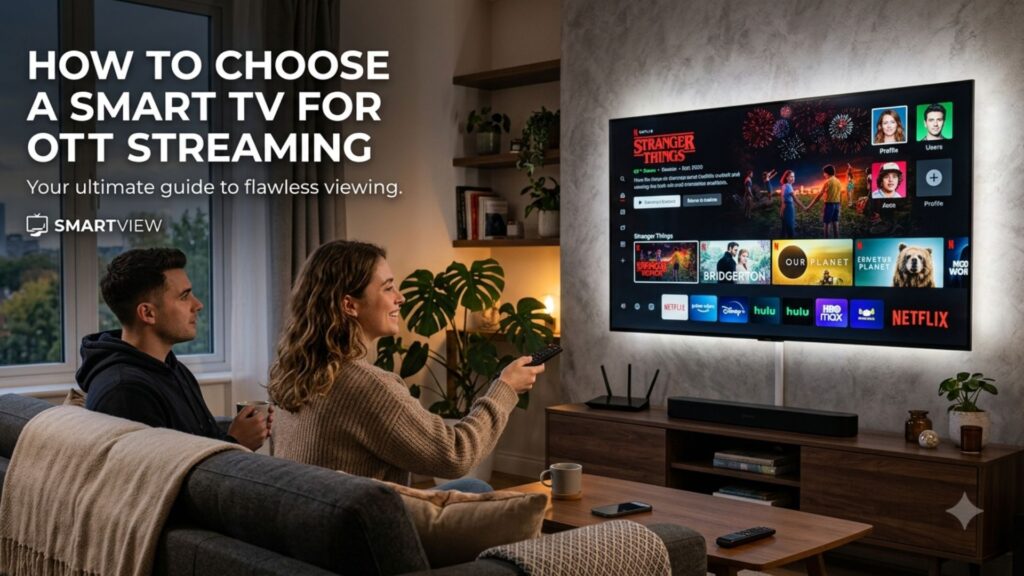
To choose a Smart TV for OTT streaming, consider its operating system, app compatibility, display quality, internet connectivity, processing performance, sound and screen size. The right model should offer a smooth interface, reliable connectivity and the features that suit your room, viewing habits and entertainment setup without paying for specifications you may not need.
What Should You Consider When Choosing a Smart TV?
A Smart TV combines traditional television viewing with internet-connected features, allowing users to access streaming services, online videos and other digital content from the television itself.
Different models can vary considerably in their software, display technology, connectivity and overall performance. Rather than comparing every specification, start by identifying how and where you will use the television.
The main factors to consider are:
- Smart TV operating system
- App availability
- Display quality
- Screen size
- Processor performance
- Internet connectivity
- Sound quality
- HDMI and USB ports
- Voice control and casting
- Warranty and after-sales support
This gives you a practical framework for comparing different models without focusing on a single specification.
Which Operating System Is Best for a Smart TV?
The operating system determines how you interact with the television, from opening applications to changing settings and searching for content.
Look for a platform that offers:
- A straightforward home screen
- Easy application access
- Responsive navigation
- Voice search or control
- Screen-casting support
- Regular software updates
App availability is also important. Before purchasing, check that the services and applications you regularly use are supported by the particular TV model.
An intuitive interface can be especially useful in family households where different users may have different viewing preferences.
How Important Is Display Quality?
Display quality has a direct effect on how clearly and comfortably you can view content. Resolution is one consideration, but it should be assessed alongside other characteristics.
Pay attention to:
- Brightness: Particularly relevant in rooms with strong ambient light.
- Contrast: Helps distinguish different levels of light and darkness.
- Colour reproduction: Influences how natural images appear.
- Viewing angles: Important when viewers sit at different positions.
- Panel technology: Different panel types have different strengths.
- Image processing: Can affect the appearance of content from different sources.
A balanced display can be more valuable than choosing a television based solely on its resolution.
Does Screen Resolution Matter?
Resolution determines the amount of visual detail a display can reproduce. However, the importance of resolution depends on factors such as screen size, viewing distance and the type of content you watch.
When comparing models, consider:
- How large the screen is.
- How far you normally sit from it.
- The quality of your usual content.
- Overall picture quality.
- Whether a higher-resolution model provides a meaningful benefit for your usage.
This prevents resolution from becoming the only deciding factor when other display characteristics may have a greater effect on everyday viewing.
How Important Is the Processor in a Smart TV?
The processor helps the television handle tasks such as launching applications, navigating menus and processing video.
A responsive processor can contribute to:
- Faster application loading
- Smoother menu navigation
- Quicker switching between functions
- Responsive voice commands
- Efficient video processing
Processor specifications can differ between manufacturers, making direct comparisons difficult. Instead of focusing only on processor names, consider the TV’s overall responsiveness during everyday use.
What Internet Connectivity Does a Smart TV Need?
A Smart TV needs a stable internet connection for accessing online services and streaming content.
Wi-Fi
Wireless connectivity is convenient for most homes. However, performance depends on your internet connection, router, network traffic and the distance between the router and television.
Ethernet
An Ethernet port allows the TV to connect directly to your router. This can be useful where a wired connection is preferred or wireless performance is inconsistent.
Bluetooth
Bluetooth provides a convenient way to connect compatible headphones, speakers and other wireless accessories.
What Screen Size Should You Choose?
Screen size should be matched to the room and viewing distance rather than selected solely according to budget.
As a general starting point:
| Screen size | Common use |
|---|---|
| 32–43 inches | Bedrooms, smaller rooms and closer viewing |
| 43–55 inches | Bedrooms and average-sized living rooms |
| 55–65 inches | Larger living rooms |
| 65+ inches | Large rooms with sufficient viewing distance |
These are broad guidelines rather than fixed rules. Measure the available space and consider your main seating position before deciding.
A smaller screen may be more practical for a bedroom, while a larger display can work better as the centre of a family entertainment area.
Should You Consider Sound Quality?
Sound is an important part of the viewing experience and should not be overlooked when comparing televisions.
Because modern TVs are designed with slim profiles, built-in speakers may have limitations in volume or depth. Depending on your preferences, you may eventually want to add a soundbar or external speakers.
Check for:
- Clear dialogue
- Multiple sound modes
- Bluetooth audio
- HDMI ARC or eARC
- External speaker compatibility
If you plan to build a larger home entertainment system, audio connectivity can be just as important as the built-in speakers.
Which Smart TV Features Are Worth Checking?
Beyond the core specifications, several features can make a television more convenient to use.
Voice Control
Voice control can make searching and navigating easier, particularly when entering longer titles or searching for specific content.
Screen Casting
Casting and screen mirroring allow compatible smartphones and other devices to display content on the television.
HDMI Ports
Check the number of HDMI ports if you plan to connect devices such as:
- Gaming consoles
- Set-top boxes
- Soundbars
- Streaming devices
- Blu-ray players
Having enough inputs allows several devices to remain connected.
USB Ports
USB connectivity can be useful for compatible storage devices and peripherals, depending on the model.
How Can You Compare Smart TVs Before Buying?
Once you know your requirements, use a simple checklist to compare different models.
| Feature | What to check |
|---|---|
| Operating system | Interface, apps and ease of use |
| Display | Brightness, contrast, colours and viewing angles |
| Resolution | Suitable for screen size and viewing distance |
| Processor | Responsiveness and video processing |
| Wi-Fi | Connectivity and network compatibility |
| HDMI | Number of ports and supported features |
| Audio | Speaker quality and external audio support |
| Screen size | Room dimensions and viewing distance |
| Casting | Compatibility with your devices |
| Voice control | Supported voice features |
| Updates | Long-term software support |
| Warranty | Product and service coverage |
The aim is not to find the TV with the most features. It is to find a model whose features correspond to the way you intend to use it.
Read more: https://www.oscarindia.in/smart-tv-maintenance-tips-keep-your-tv-running-like-new/
Why Does the Smart TV Manufacturer Matter?
The manufacturer’s role extends beyond the initial purchase. Software support, warranty coverage, customer service and access to repairs can all influence the long-term ownership experience.
When comparing Smart TV Manufacturers, consider:
- Warranty terms
- Customer support
- Service network
- Software update policies
- Availability of replacement components
- Product range
- Connectivity options
- Smart features
A manufacturer with a suitable range of models can also make it easier to choose a television based on different room sizes, budgets and usage requirements.
How Should You Choose a Smart TV for Different Rooms?
The room where the TV will be installed can help determine which features deserve the most attention.
Bedroom
For a bedroom, consider a compact screen, straightforward controls and a display that is comfortable to watch from a shorter distance.
Living Room
A family living room may benefit from a larger screen, good viewing angles and clear audio, particularly when several people watch together.
Entertainment Room
If the television will be connected to gaming consoles, speakers, set-top boxes and other equipment, prioritise sufficient HDMI ports and suitable audio connectivity.
Small Office or Common Area
For occasional viewing, a smaller model with essential Smart TV functions may be sufficient without requiring additional premium features.
Read More: https://www.oscarindia.in/how-to-choose-the-right-smart-tv/
What Is the Most Important Feature to Look For?
There is no single feature that makes one Smart TV suitable for every buyer. The right choice depends on the combination of display, software, connectivity, size, sound and performance that matches your needs.
Start with the basics: choose an appropriate screen size, make sure the operating system supports the applications you need, check the available connections and assess the display and sound quality. From there, features such as voice control and casting can help determine which model fits your preferences.
Final Thoughts
Choosing a Smart TV for OTT streaming is easier when you focus on how you will actually use it rather than chasing the highest specification. Consider the operating system, display, screen size, connectivity, processor, audio and long-term support before making your decision. Explore Oscar India’s Smart TV range and connect with experienced Smart TV Manufacturers to find a model suited to your home entertainment needs.