

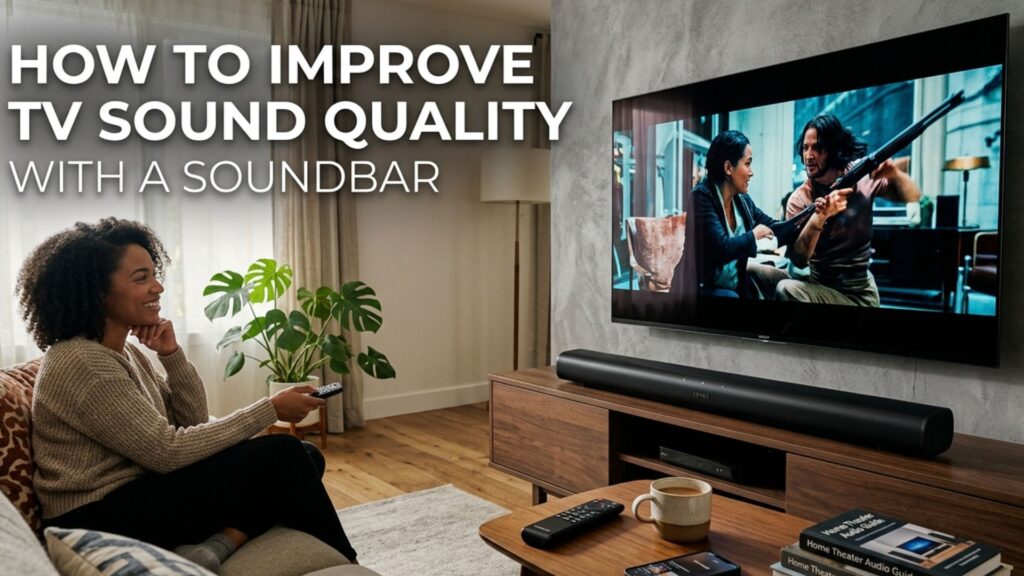
A soundbar can improve TV sound by providing clearer dialogue, stronger bass and a wider soundstage than built-in TV speakers. To get the best results, position it correctly, connect it through HDMI ARC/eARC where possible, select the right sound mode and adjust the audio settings to suit your room and content.
Why Does TV Sound Need Improvement?
Modern televisions are increasingly slim, leaving less physical space for built-in speakers. While they are suitable for everyday viewing, they may lack the depth, volume and clarity needed for films, music, sports and gaming.
Common problems include:
- Dialogue that is difficult to understand
- Weak or limited bass
- Sound that feels flat or narrow
- Music and effects that lack detail
- Audio that becomes unclear when the volume is increased
A soundbar provides dedicated speakers designed to deliver a fuller and more balanced audio experience without requiring a traditional multi-speaker home theatre system.
Read More: https://www.oscarindia.in/how-to-connect-a-soundbar-to-your-tv/
How Does a Soundbar Improve TV Sound Quality?
A soundbar can improve several important aspects of TV audio.
Clearer Dialogue
Dedicated audio processing and dialogue enhancement modes can make voices easier to hear, particularly during programmes or films with background music and sound effects.
Stronger Bass
A soundbar can deliver more low-frequency detail than many built-in TV speakers. Models with a separate subwoofer can provide additional impact for films, music and gaming.
Wider Soundstage
Multiple speakers and audio processing can make sound appear to come from a wider area rather than directly from the TV.
More Immersive Audio
Depending on the model, features such as surround sound and Dolby Atmos can create a more spacious listening experience.
However, choosing a soundbar is only part of the process. Placement, connections and audio settings can also have a significant impact on performance.
Where Should You Place a Soundbar?
Correct placement helps the sound reach the listening position without unnecessary obstruction.
For most setups, place the soundbar directly below the TV and facing the seating area. If the TV is wall-mounted, the soundbar can usually be mounted underneath it.
Avoid placing objects directly in front of the soundbar, as they can interfere with the speakers.
If your soundbar uses upward-firing speakers for Dolby Atmos or another height-based audio format, leave sufficient space above the soundbar. An unobstructed ceiling can help reflected sound reach the listener more effectively.
Read More: https://www.oscarindia.in/where-should-you-place-a-soundbar/
Which Connection Is Best for a Soundbar?
The connection you use can affect audio compatibility and convenience.
HDMI ARC or eARC
HDMI ARC allows a compatible TV to send audio to the soundbar through an HDMI cable. It can also allow the TV remote to control soundbar volume when compatible features are enabled.
HDMI eARC provides greater bandwidth and supports higher-quality audio formats on compatible TVs and soundbars.
Optical Audio
Optical audio is another reliable digital connection. It is particularly useful for TVs that do not have HDMI ARC or eARC.
Bluetooth
Bluetooth provides convenient wireless audio from compatible devices. It can be useful for playing music from a smartphone or other device, although a wired connection is generally more suitable for a primary TV audio setup.
Read more: https://www.oscarindia.in/hdmi-arc-vs-optical-cable-which-is-better-for-a-soundbar/
Which Sound Mode Should You Use?
Most soundbars offer several sound modes. The best choice depends on what you are watching.
Movie Mode
Movie or Cinema mode can create a more immersive presentation by adjusting sound processing and, on some systems, increasing the sense of bass and spaciousness.
Dialogue or Voice Mode
If speech is difficult to understand, try Dialogue, Voice or a similar speech-enhancement setting. These modes are designed to make voices more prominent.
Music Mode
Music mode can provide a more balanced presentation for songs and other music content.
Standard Mode
Standard mode is useful for everyday TV viewing when you want a relatively natural presentation without additional processing.
How Should You Adjust Bass and Treble?
Start with the soundbar’s default settings before making adjustments.
If dialogue sounds muffled, reducing excessive bass may help. Increasing bass too much can sometimes make voices less distinct.
For films and music, moderate bass can add depth and impact without overpowering dialogue. Similarly, increasing treble can improve perceived clarity, but excessive treble may make the sound harsh.
Make small adjustments and test them with the content you normally watch.
How Can You Make TV Dialogue Easier to Hear?
If your main problem is unclear speech, you do not necessarily need to increase the overall volume.
Try these steps:
- Turn on Dialogue or Voice mode.
- Position the soundbar directly below the TV.
- Make sure the soundbar is not blocked by furniture.
- Reduce excessive bass if voices sound muffled.
- Check your TV’s audio-output settings.
- Use a compatible digital audio format.
- Keep the soundbar at an appropriate level relative to your seating position.
These adjustments can make conversations easier to follow without making music and sound effects unnecessarily loud.
Can a Subwoofer Improve TV Sound?
Yes. A subwoofer is designed to reproduce lower frequencies that a compact soundbar may not handle as effectively on its own.
It can add greater impact to:
- Movie sound effects
- Music
- Gaming
- Action scenes
- Low-frequency cinematic effects
However, more bass does not always mean better sound. Adjust the subwoofer so that it complements the soundbar rather than overpowering dialogue and other details.
How Can You Get Better Surround Sound?
If your soundbar supports surround sound or Dolby Atmos, the room and speaker positioning can influence the experience.
Keep the area around the soundbar relatively open. If your system includes rear speakers, position them according to the manufacturer’s recommendations and keep them around the listening area.
Your TV’s audio-output settings also matter. If the TV is configured to output an audio format that the soundbar does not support, you may not get the intended experience.
What Should You Consider When Choosing a Soundbar for Your TV?
The right soundbar depends on your TV, room and listening habits. Consider the following before buying one.
TV Size
A soundbar should be appropriately sized for your television and viewing area. A compact soundbar may suit a smaller setup, while a wider model can be more suitable for a larger screen and room.
Room Size
A small soundbar may be sufficient for a bedroom or compact living room. Larger rooms may benefit from a more powerful system or additional speakers.
Subwoofer
If you watch a lot of films, listen to music or play games, consider whether you want a separate subwoofer for stronger low-frequency performance.
Audio Features
Look for features that match how you use your TV, such as dialogue enhancement, surround sound, Dolby Atmos or multiple sound modes.
Connectivity
Check that the soundbar supports the connections available on your TV. HDMI ARC/eARC can be particularly useful for compatible setups.
What Is a Simple Soundbar Setup for Better TV Audio?
For a typical living-room setup, start with the soundbar directly below the TV and facing the seating position. Connect it using HDMI ARC or eARC if both devices support it.
Then:
- Select the external soundbar as the TV’s audio output.
- Start with Standard mode for everyday viewing.
- Use Movie mode for films and series.
- Try Dialogue mode when speech is difficult to understand.
- Adjust bass and treble gradually.
- Set the subwoofer level, if included, so it complements rather than dominates the sound.
This simple setup can provide a noticeable improvement without complicated calibration.
Quick Troubleshooting: Why Is My Soundbar Not Improving TV Sound?
If your soundbar does not sound noticeably better after installation, check these common issues:
- No sound: Confirm that the soundbar is selected as the TV’s audio output and that the correct HDMI ARC/eARC or optical input is selected.
- Sound is too quiet: Check both the TV and soundbar volume levels, and make sure a volume-limiting or night mode is not enabled.
- Dialogue sounds unclear: Turn on Dialogue or Voice mode and reduce excessive bass.
- Bass sounds too strong: Lower the subwoofer level or bass setting and test the sound again.
- Audio and video are out of sync: Look for an audio-delay or lip-sync adjustment in the TV or soundbar settings.
- Surround sound isn’t working: Check that both devices support the selected audio format and that the TV is configured to pass compatible audio to the soundbar.
- Bluetooth keeps disconnecting: Keep the source device within the recommended range and minimise potential wireless interference.
If these steps do not resolve the issue, check the TV and soundbar manuals for model-specific connection and audio settings.
How Can You Get the Best Soundbar Performance?
Getting better TV sound is not simply about choosing the most powerful soundbar. The best results come from matching the soundbar to your TV and room, positioning it correctly and using the appropriate audio settings.
For everyday viewing, prioritise dialogue clarity and balanced sound. For films and gaming, features such as stronger bass, surround sound and Dolby Atmos may be more important. Always check compatibility between your TV and soundbar before choosing a particular connection or audio format.
If you’re looking to improve TV sound quality with a soundbar, explore Oscar India‘s range of audio solutions to find an option suited to your television, room and entertainment needs.